Fix Mixcraft file association Follow

In this article:
When you double click on your mixcraft project file, it is supposed to open straight away in Mixcraft.
If this is not happening for you, here is a quick 5 step guide to make sure it opens directly.
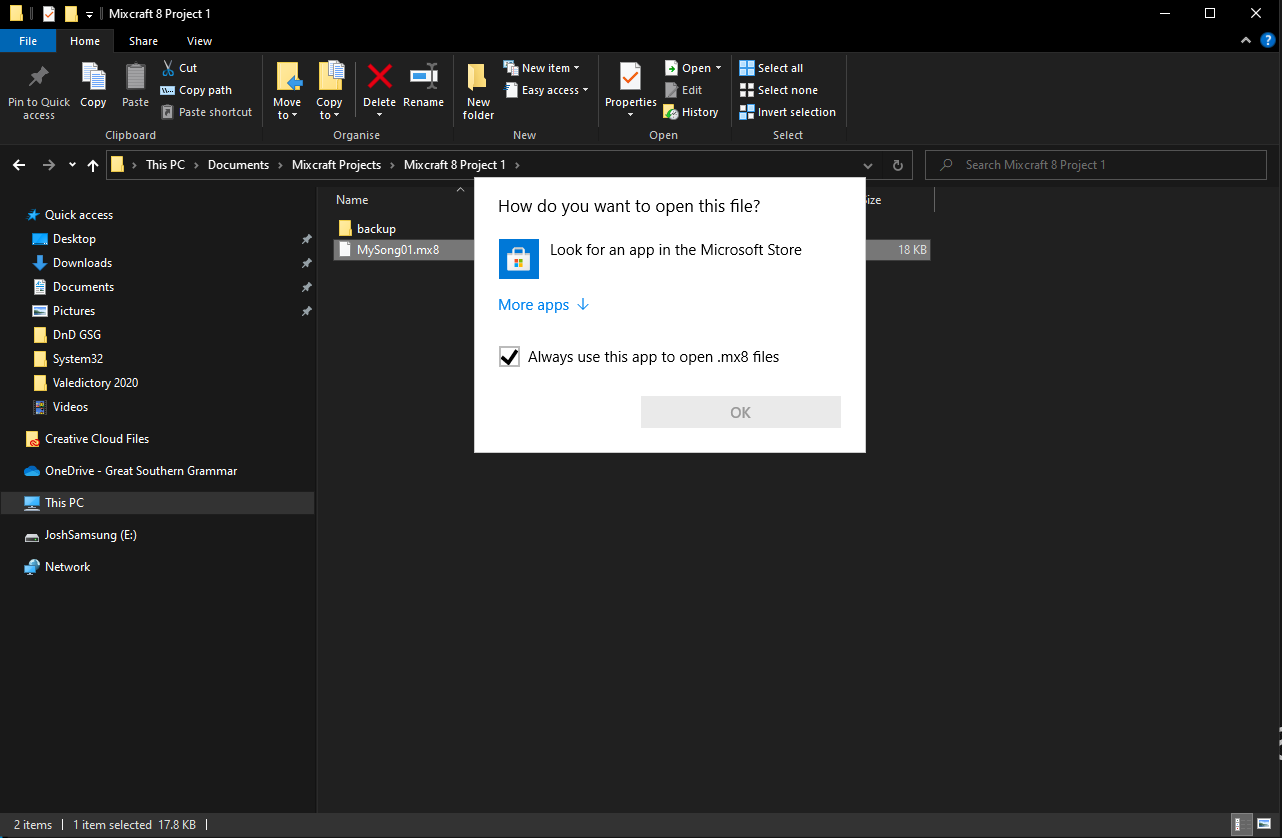
Step 1.) When you double click on your Mixcraft project, this is the window you see.
Make sure the box is ticked and click More Apps
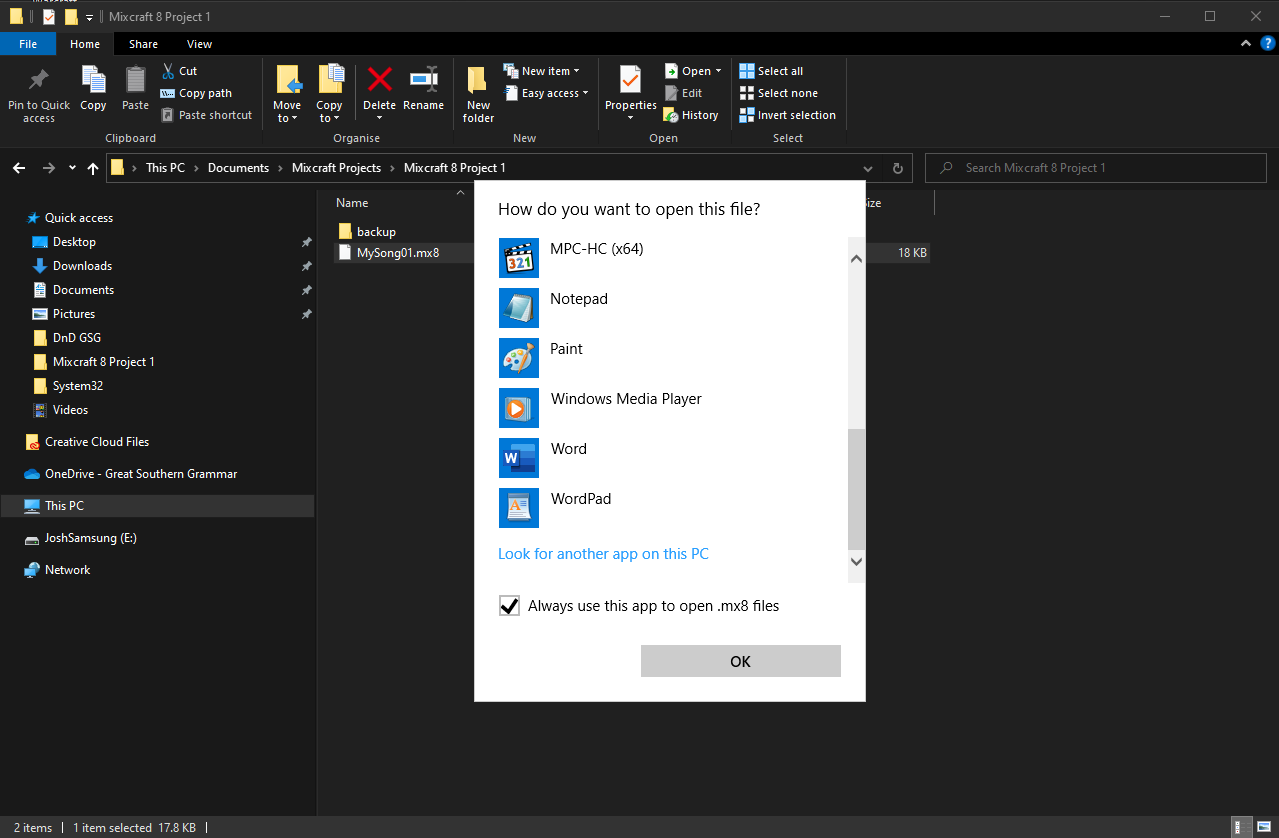
Step 2.) Scroll to the bottom of the list and select Look for another app on this PC
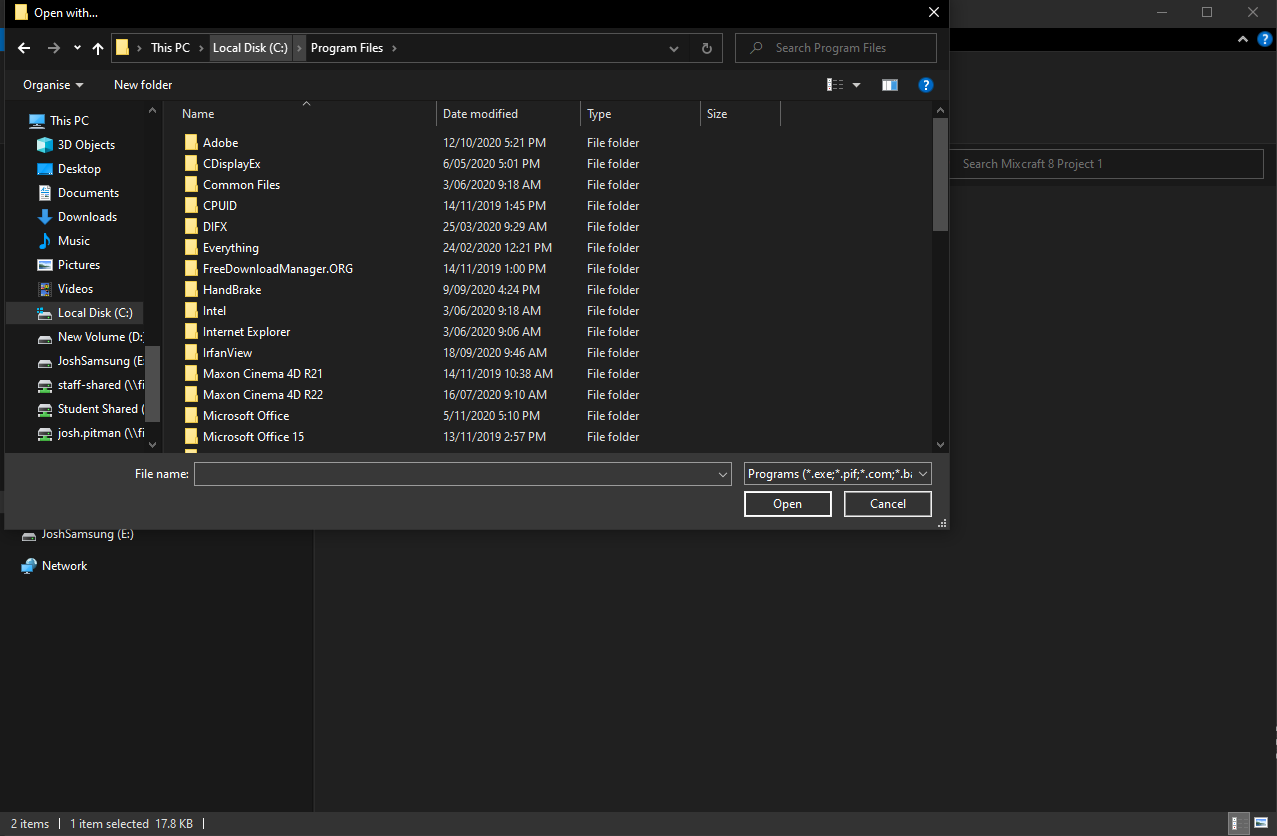
Step 3.) Click the Local Disk (C:) area highlighted to navigate up a folder level
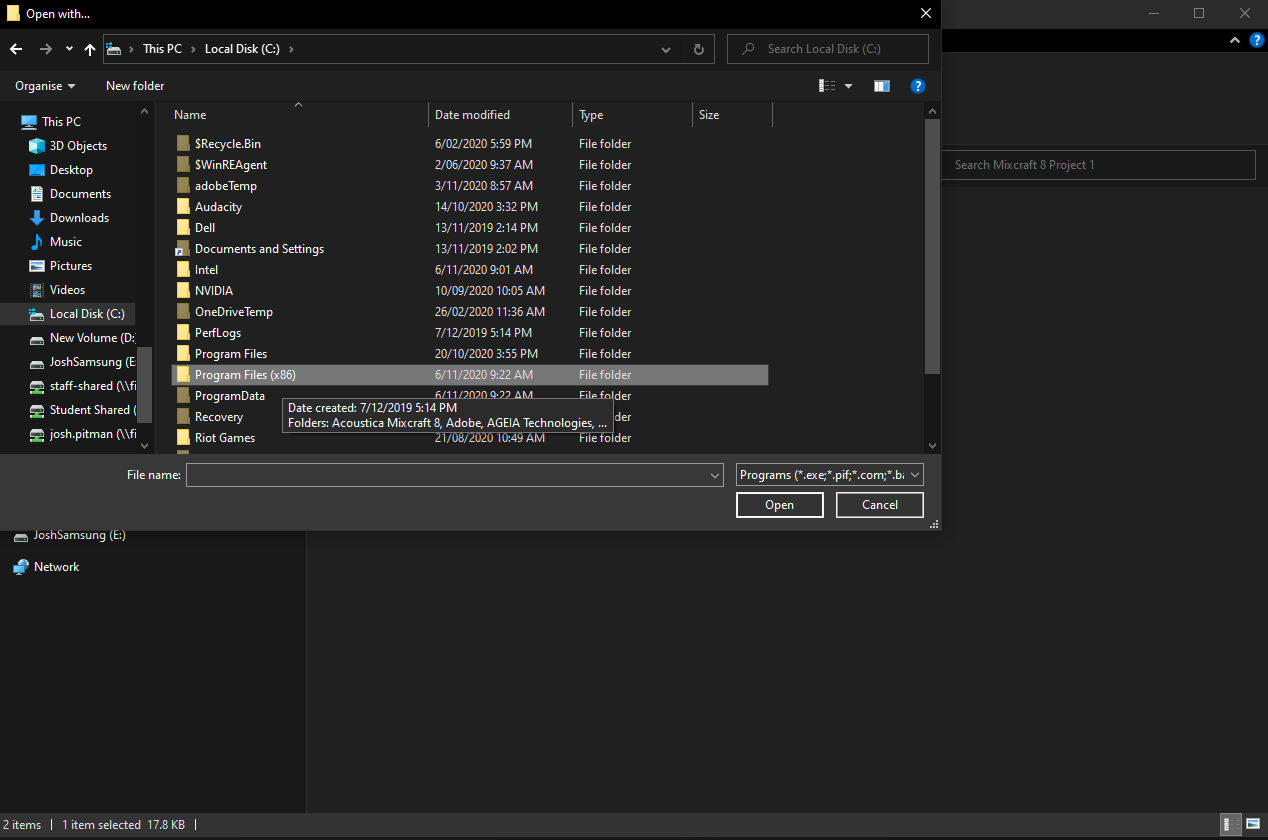
Step 4.) Double click the folder Program Files (x86)
Step 5.) Double click again on the Acoustica Mixcraft 8 folder and Open the Mixcraft8.exe to finish
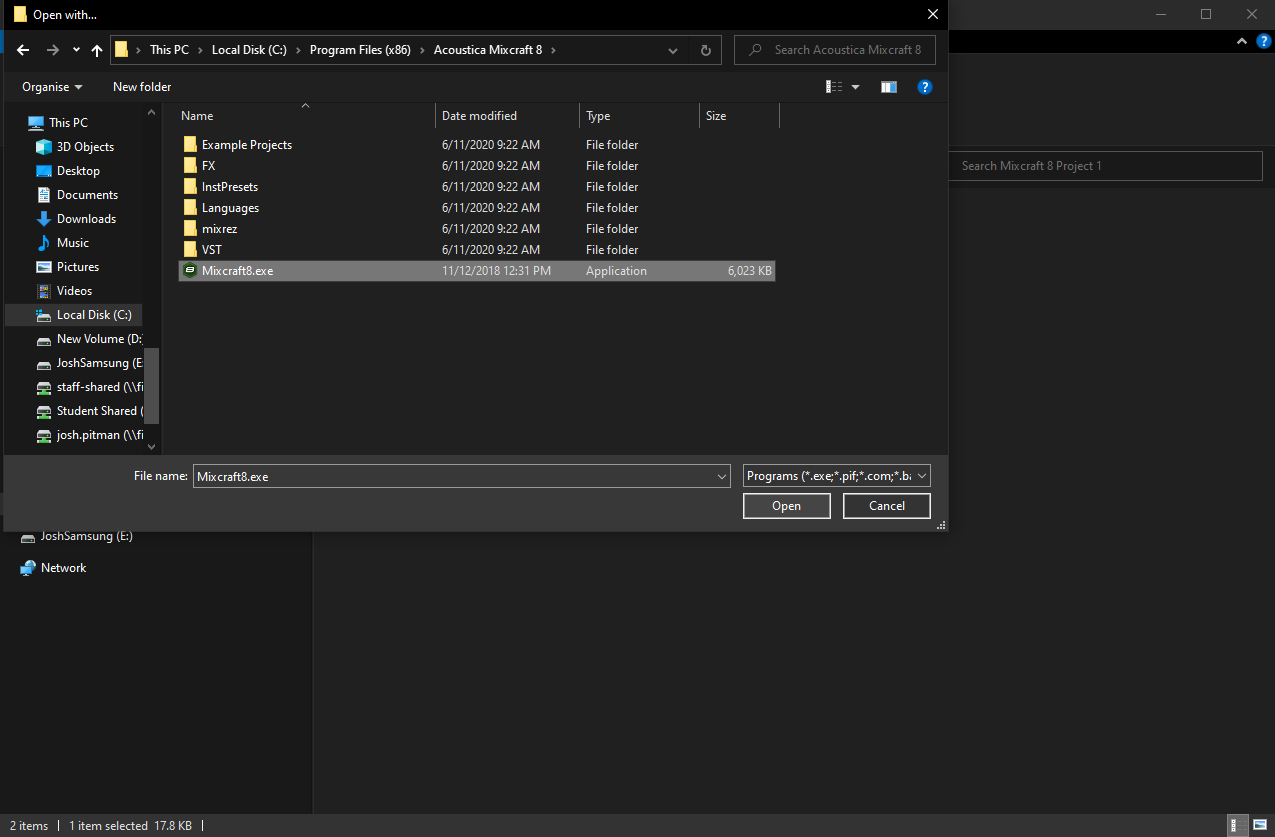
Your device will now have the correct file association for Mixcraft projects.
Comments
0 comments
Please sign in to leave a comment.