Booking PTIs through MyGSG Follow

In this article:
MyGSG is Great Southern Grammar’s online portal. Your first stop for information about your child and the school.
To access, go to MyGSG my.gsg.wa.edu.au. Once logged in, look for the SEQTA Engage link. If you are unsure of your sign-in details, please follow this helpful guide: Parent ID Passport (PIPs).
Once logged in, look for the Parent Teacher Interviews link under Parent Information.
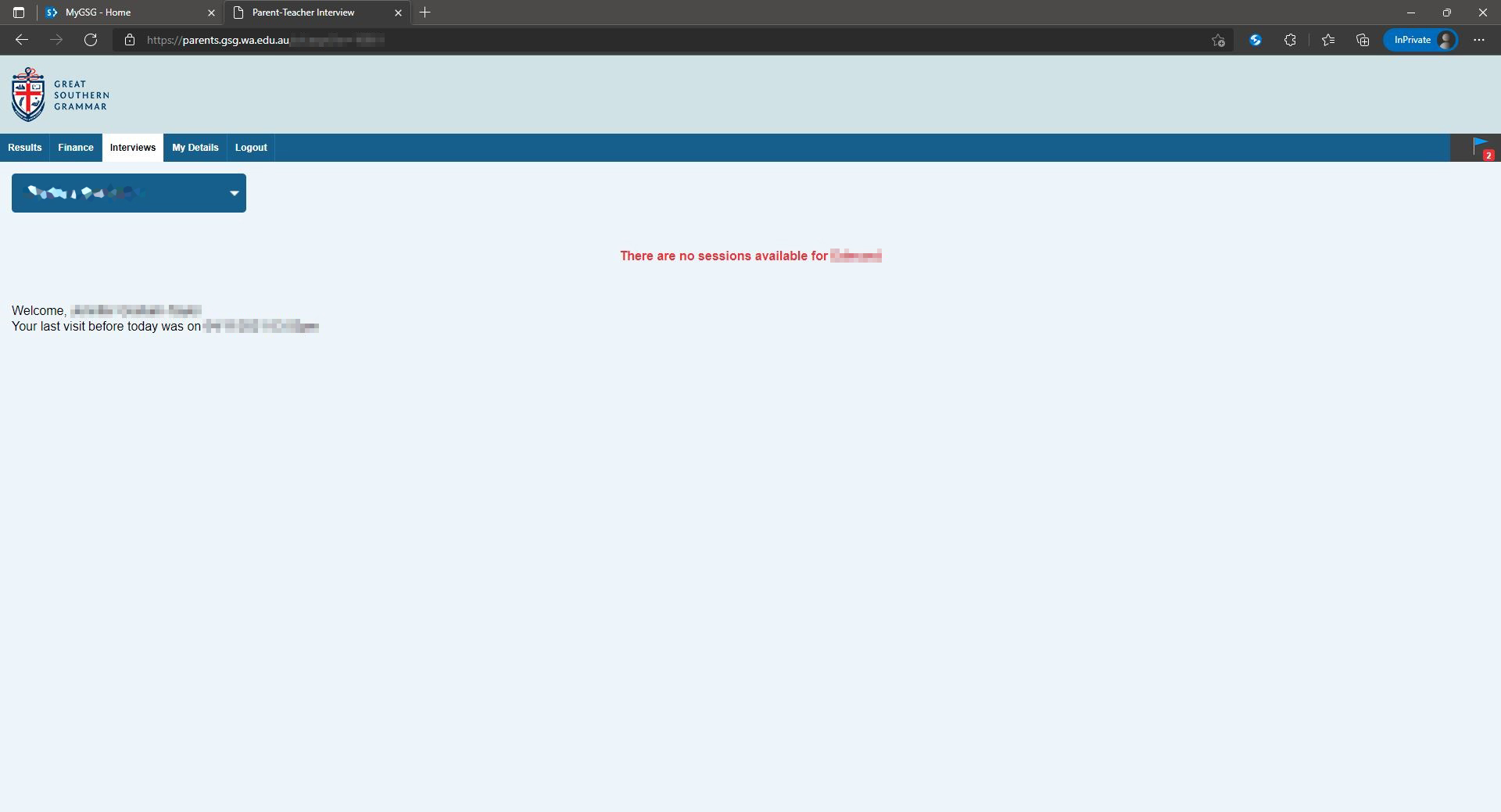
Once Parent Teacher Interviews loads, you will see a timetable of available sessions. If you don’t see a timetable (as shown below), it means that there are no sessions currently open to book.
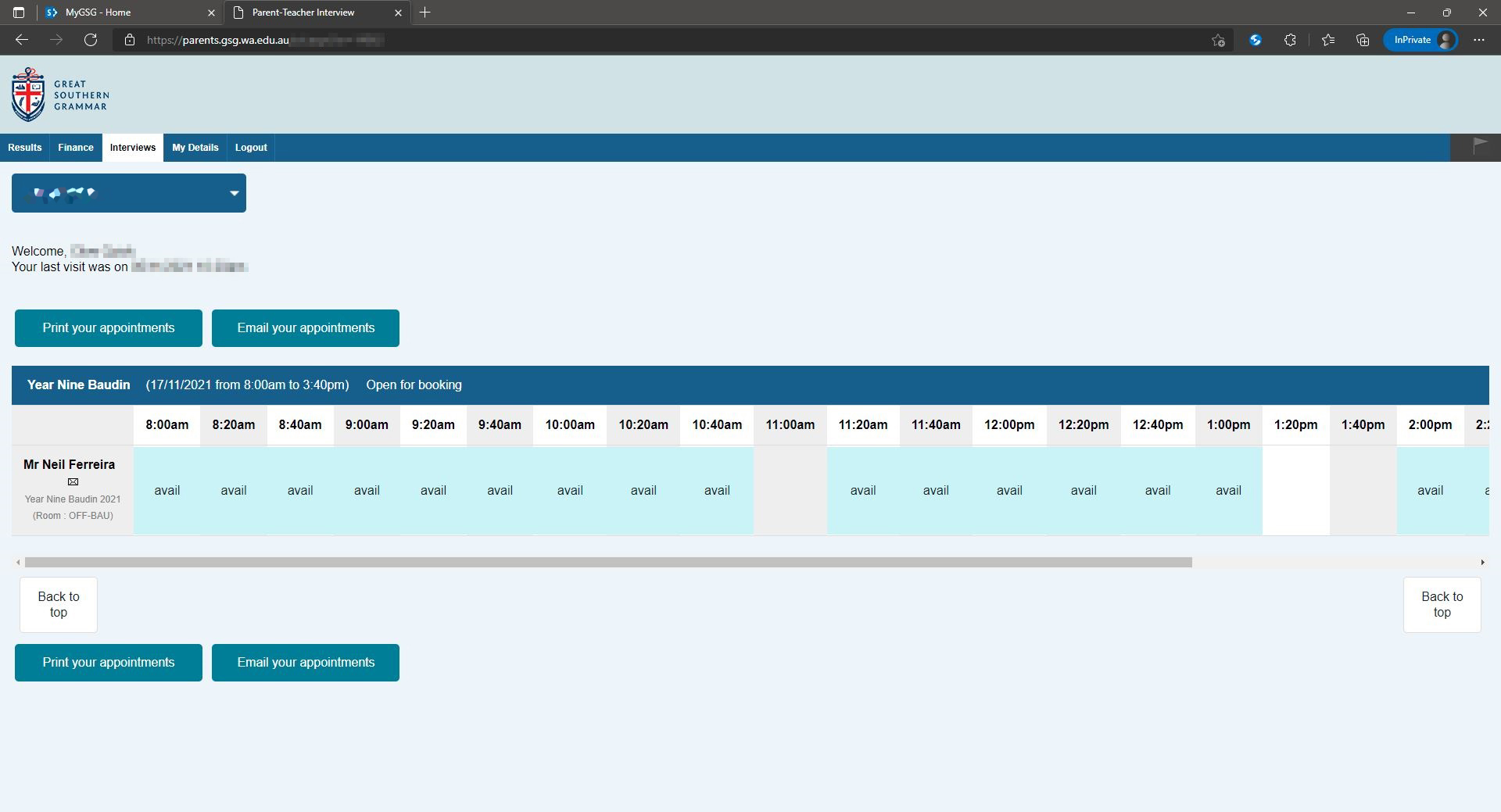
To book a session, click on ‘Avail’ for the teacher and time you’d like. To view more times, you may need to scroll the calendar to the right.
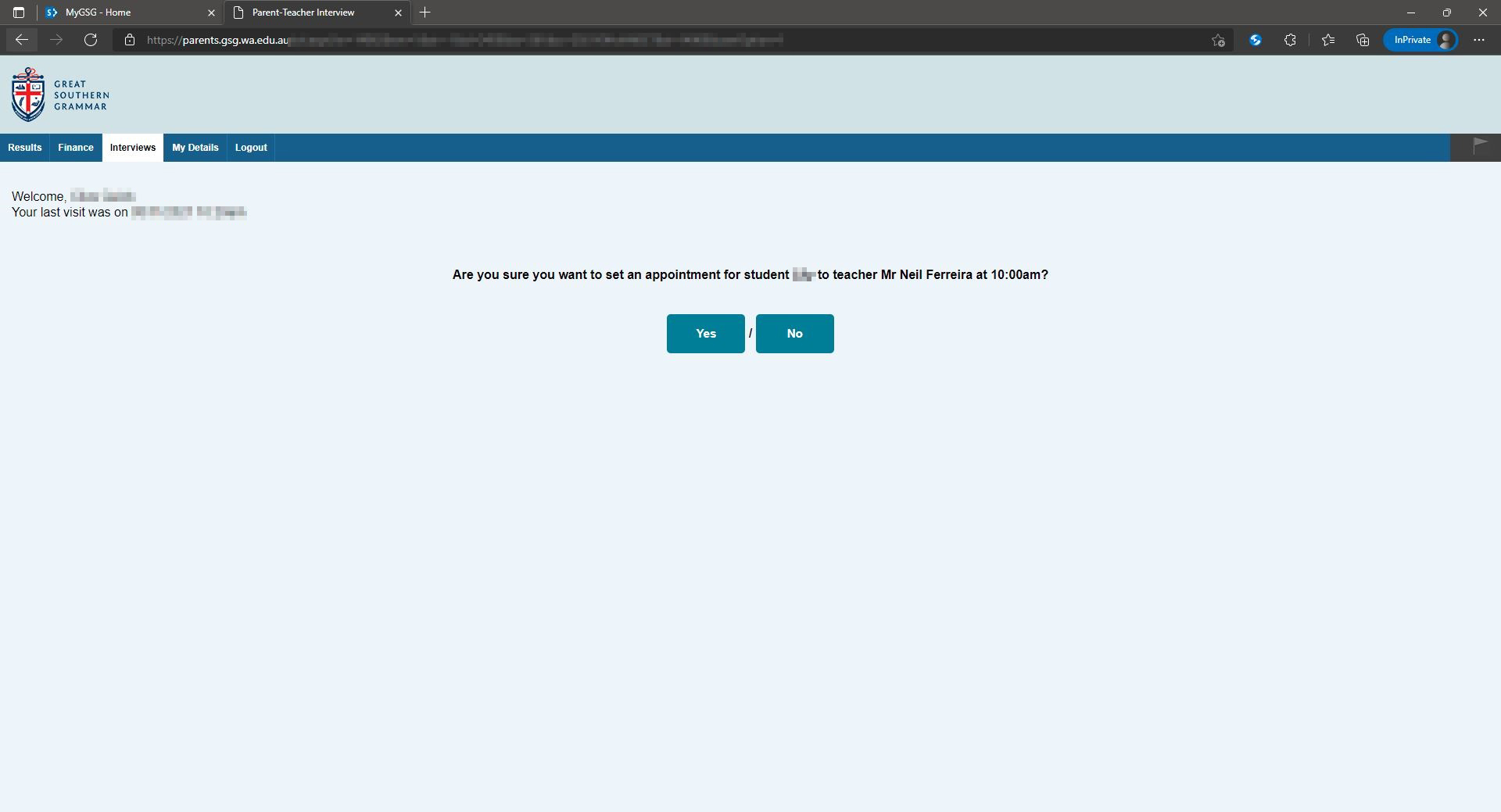
Once you have selected an available session, click the ‘Yes’ button to confirm.
A list of appointments can be printed or emailed by slecting the relevant option.
Comments
1 comment
Thank you,it easy to follow
Please sign in to leave a comment.